
How to Spot Fake PhonePe Screenshots & Avoid Payment Scams
Fake PhonePe Screenshots & Avoid Payment Scams is an essential guide for retail store owners, street vendors, and online merchants who rely heavily on digital wallets and Unified Payments Interface (UPI) payments.
With the rise of counterfeit payment applications and modded receipt generators, scammers frequently attempt to walk away with merchandise by showing a fabricated “Payment Successful” screen. Understanding the visual telltales of fake screenshots and implementing automated verification protocols is critical to protecting your business from financial fraud.
Visual Indicators of a Fake PhonePe Screenshot
While counterfeit screenshot generators attempt to replicate the exact user interface of genuine digital wallets, they routinely display subtle graphical errors, formatting mistakes, and layout flaws under close examination:
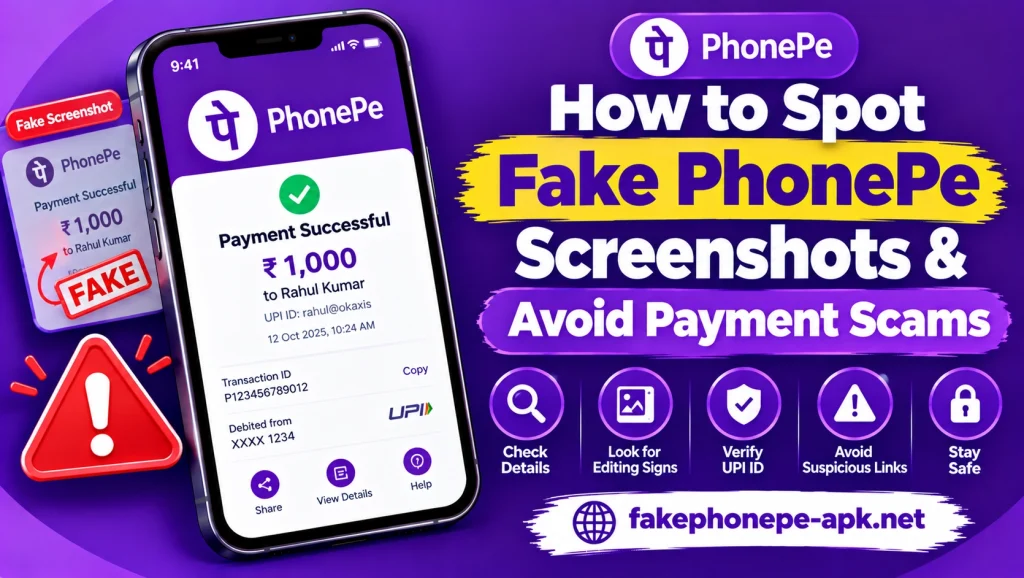
- Inconsistent Typography and Fonts: Fake receipt generators often use non-standard system fonts that differ from official app typography. Numbers, currency symbols, and account names frequently appear slightly misaligned, oversized, or pixelated.
- Mismatched Timestamps: The timestamp displayed on a fake payment receipt often conflicts with the current time shown in the phone’s top status bar, or fails to reflect the exact moment the buyer claims to have sent the money.
- Low-Resolution Logos and Badges: Counterfeit applications regularly utilize low-quality graphics, stretched checkmark icons, or outdated branding colors that lack the crisp, high-definition vector rendering of official software.
- Static or Distorted Animations: Authentic payment success screens feature smooth, high-frame-rate animations, such as glowing checkmarks and dynamic background elements. Fake PhonePe often display frozen, jittery, or poorly rendered graphics.
Essential Verification Protocols to Avoid Payment Scams
Relying exclusively on a buyer’s smartphone display is the primary point of failure in daily business operations. Implementing strict operational checks ensures every transaction is authentic before goods are handed over:
- Check Your Official Merchant Dashboard: Never trust a screenshot or screen recording shown by a customer. Always open your own merchant app or check your linked bank account balance in real-time to confirm the credit.
- Deploy Automated Sound Speaker Hardware: Utilizing dedicated merchant sound boxes provided by payment service providers delivers immediate, loud audio confirmation for every incoming transaction, eliminating visual guesswork.
- Cross-Reference UPI Reference Numbers: Authentic transfers generate a unique 12-digit UPI Reference ID or Bank Transaction Number. Verify that the reference number shown on your official bank dashboard matches the one claimed by the customer.
- Train Floor Staff and Cashiers: Educate your retail staff to ignore rush tactics, claims of low phone battery, or excuses about poor cellular network connectivity from customers insisting on showing visual screenshots.
Security Comparison: Genuine Confirmation vs. Fake Screenshot
To help train store staff and cashiers on handling digital payment verifications, review the following operational security guidelines:
| Verification Parameter | Authentic UPI Confirmation | Fake Payment Screenshot |
| Merchant Account Credit | Balance updates instantly in official app | Zero balance update or account credit reflected |
| Audio Notification | Triggers official merchant sound box alert | No audio response from merchant hardware |
| Official SMS/Push Alert | Instant notification sent to vendor device | No notification received on vendor’s phone |
| Visual Quality | Crisp typography and matching timestamps | Misaligned text, font mismatch, or time errors |
What to Do If You Encounter a Fake Payment Scam
If a customer attempts to use a counterfeit application or fake screenshot to steal goods from your business, execute these immediate protective steps:
- Refuse to Hand Over Merchandise: Immediately halt the transaction and inform the buyer that goods can only be released after confirmation is received on your own merchant dashboard or sound box.
- Document the Incident: Retain CCTV footage of the interaction, note the customer’s vehicle number if applicable, and take a photo of the phone screen displaying the fake transaction.
- Report to Cyber Crime Authorities: File a formal complaint with the local police or your national cybercrime portal with transaction details and footage to help track repeat offenders.
- Alert Nearby Merchants: Share information regarding the scamming attempt with neighboring store owners to prevent similar fraud attempts within your local market.
Conclusion
Fake PhonePe Screenshots & Avoid Payment Scams relies on abandoning dependence on customer smartphone screens and enforcing verified, real-time confirmation routines. By recognizing visual anomalies, utilizing automated sound boxes, and verifying transactions strictly through official merchant dashboards, vendors can effectively eliminate retail fraud and protect their daily revenue.